Logic Pro 13 is out: a unified browser, drum stem splitting and an AI assistant
Apple shipped Logic Pro 13 with the November Creator Studio update. No new instruments, but three features that change how you prepare a session.
- Logic Pro 13 has been available since 5 November 2026, free for existing Logic owners and Creator Studio subscribers.
- The headline features: a unified browser with on-device sound tagging, Stem Splitter for individual drum parts and the Intelligent Assistant beta.
- It needs an Apple silicon Mac running macOS 26.1 or later.
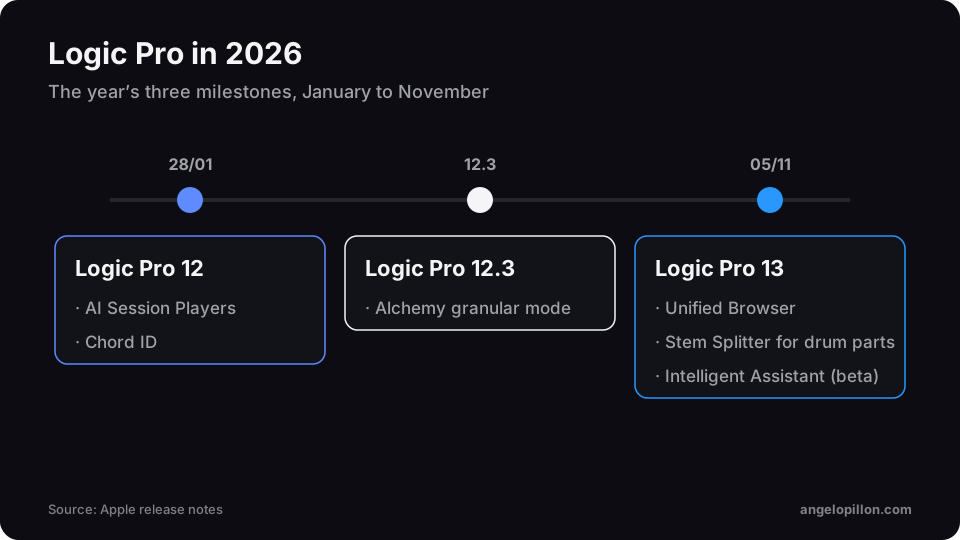
Apple announced the November Creator Studio update on 27 October. Logic Pro 13 followed on 5 November, the year’s second major release after Logic Pro 12 in January.
What’s new
Unified Browser. Loops, samples, presets and patches live in a single panel. Logic analyses sounds on your Mac and tags them automatically, so even your own libraries become searchable by character and instrument.
Stem Splitter for drums. Separation no longer stops at vocals, drums, bass and other: it can now isolate individual drum parts such as kick, snare and cymbals.
Intelligent Assistant (beta). An AI assistant that answers questions and helps with tasks in the session. It is only included with a Creator Studio subscription.
As the German trade press pointed out, version 13 adds no new instruments or effects: this is a workflow update.
Price and requirements
| Release | 5 November 2026 |
| One-time purchase | $199.99 |
| Creator Studio | from $12.99 a month |
| Upgrade | free for existing Logic Pro owners |
| Requirements | Apple silicon, macOS 26.1 or later |
What it means for mixing and mastering
Drum stem splitting is useful, but use it with judgement. If a producer sends me a printed drum loop and I need more control over the kick, separation is a great starting point. It does not replace the original tracks though: if you have them, send those. Separation artefacts that are tiny on headphones become obvious once the level comes up in mastering.
Splitting a drum loop is a lifeline, not a method. The original tracks are always the better choice.
Before updating in the middle of a project, finish the session in the version you started it in. Check your plug-ins and keep a copy of the project, the same advice I give on exporting tracks for mixing and mastering.